
How AI Driven UI Automation Is Changing the Way We Test Web Applications
Updated: Mar 31
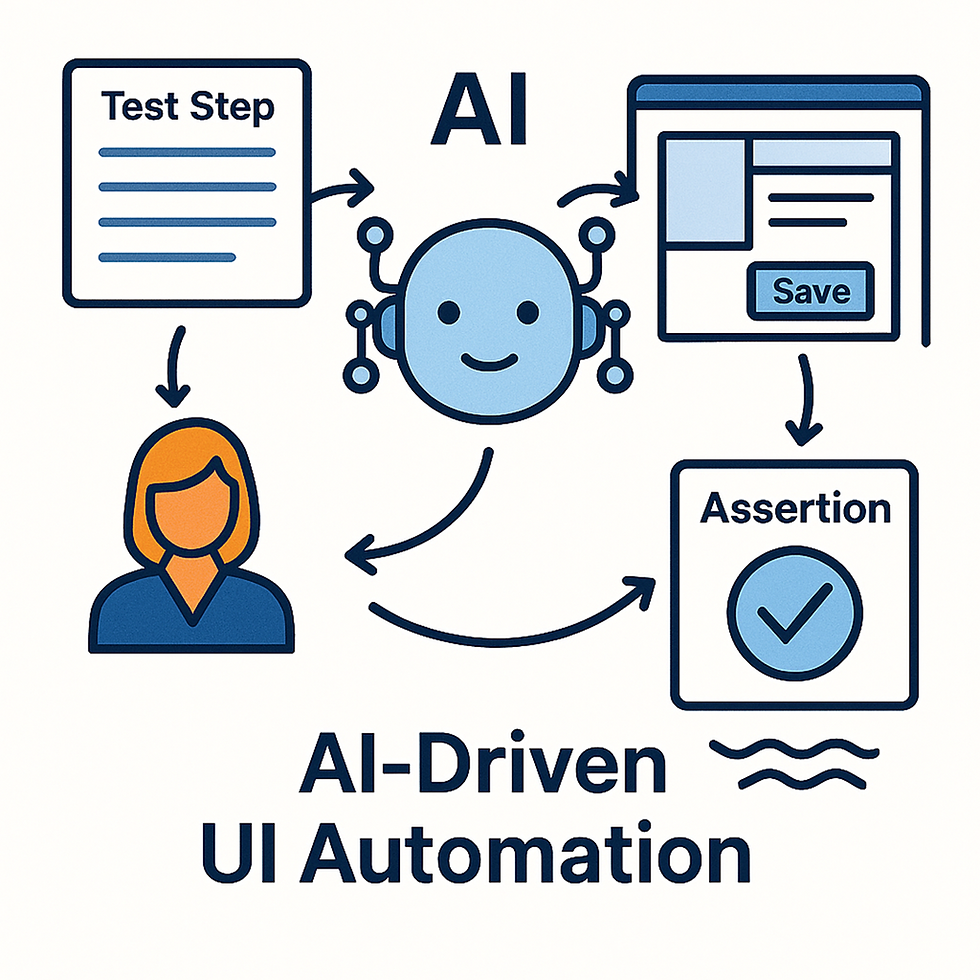
Software testing has always been a balancing act between speed and accuracy. Manual testing is flexible and insightful but slow. Traditional automated testing is fast but rigid, brittle, and expensive to maintain. As applications evolve, selectors break, flows change, and test suites require constant updates.
AI‑driven UI automation offers a new path — one that combines the adaptability of a human tester with the speed of automation. Instead of relying on fixed selectors and predefined scripts, an AI agent can interpret the UI, understand the goal of each test step, and decide what to do next based on the current state of the application.
This approach doesn’t just automate tests. It transforms the entire testing workflow.
The Core Idea: An AI That Behaves Like a Real Tester
At the heart of this system is a carefully designed prompt that instructs the AI to behave like a manual tester executing a single step of a test case. The AI receives:
The current accessibility (ARIA) tree
The goal of the step
The previous commands and their results
A list of allowed actions
Contextual data (e.g., username = Jack)
And then it must output exactly one next action or assertion.
The AI is not allowed to “jump ahead,” skip steps, or verify during an action. It must behave like a disciplined tester:
Try to achieve the goal
Stop immediately if a bug appears
Never assume hidden state
Never repeat successful steps
Never invent commands outside the allowed list
This creates a controlled, predictable testing agent that still has the flexibility to adapt to the UI in real time.
Why ARIA Snapshots Matter
Traditional automation tools rely on CSS selectors or XPath — both fragile and tightly coupled to the UI structure. A small DOM change can break dozens of tests.
ARIA snapshots solve this problem by giving the AI a semantic view of the UI:
Roles
Names
States
Hierarchy
This is exactly how assistive technologies understand the page, and it turns out to be an excellent foundation for AI‑driven automation. Instead of guessing which <div> is the “Save” button, the AI sees:
role = "button"
name = "Save"
This makes tests dramatically more stable and more human‑like.
A Structured Decision Process
The prompt defines a strict decision logic that guides the AI through each step.
1. Action steps
When the step is an action (type = "act"), the AI must determine:
Is the goal already achieved?
Is the goal impossible due to a bug?
Or should it continue with the next action?
It must never verify anything during an action.It must never perform unnecessary steps.It must stop after 3–4 reasonable attempts if progress is impossible.
2. Verification steps
When the step is a verification (type = "verify"), the AI must:
Assert the expected outcome if it is visible
Produce failing assertions if it is not
Reveal hidden UI elements if needed
Never return “done” without at least one assertion
This mirrors how a real tester thinks:“I expect to see X. If I don’t, I need to check what’s actually there.”
A Clear, Machine‑Readable Output
Each step produces a structured JSON object:
thinking: a short internal reasoning
status: continue, done, or failed
nextCommand: the next action or assertion
ariaWarnings: accessibility issues
failureMessage: if something goes wrong
thought: a short reflective sentence
This format makes the AI’s behavior transparent, debuggable, and easy to integrate into a larger automation pipeline.
Why We Use This Approach
1. It adapts to UI changes
Because the AI reads the ARIA tree, not the DOM structure, tests survive:
Layout changes
CSS refactors
Component rewrites
Minor renaming
As long as the semantics remain consistent, the tests continue to work.
2. It behaves like a human
The AI doesn’t blindly click selectors. It:
Opens menus when needed
Inspects elements when unsure
Stops when encountering unexpected errors
Avoids redundant actions
This dramatically reduces false positives and false negatives.
3. It catches real bugs
If the UI behaves unexpectedly, the AI stops immediately and transfers the automation to the tester, who
Stops this test case, if it’s a bug in the application, then
Executes the step correctly. If it’s a problem in the automation, then
Gives the automation rights to the AI
Presses continue
This makes automation faster and barrier-free.
4. It reduces maintenance
Instead of maintaining hundreds of brittle selectors, teams maintain:
A clean ARIA structure
A stable set of allowed commands
A clear test flow
The AI handles the rest.
The Future of Testing: Hybrid Intelligence
AI‑driven automation doesn’t replace testers — it amplifies them.
Manual testers still design scenarios, understand business logic, and interpret complex behaviors. But the AI handles the repetitive, mechanical parts:
Clicking
Filling fields
Navigating menus
Checking states
This frees testers to focus on exploratory testing, edge cases, and user experience — the areas where human insight is irreplaceable.
Conclusion: A Smarter, More Resilient Way to Test
By combining ARIA snapshots, structured decision logic, and a disciplined testing persona, AI‑driven UI automation offers a powerful alternative to traditional test scripts.
It’s:
More stable
More flexible
More human‑like
Easier to maintain
Better at catching real issues
As applications grow more dynamic and complex, this hybrid approach — human intent + AI execution — is becoming one of the most effective ways to ensure software quality.
If your team is looking to reduce flaky tests, accelerate releases, and improve confidence in your UI, AI‑driven automation is a compelling path forward.


Comments